Tasks, boards & notes for
the
command line
A Rust rewrite of taskbook. Organize tasks into boards, track priorities, view timelines — and sync across devices for free with end-to-end encryption.
curl --proto '=https' --tlsv1.2
-sSf
https://taskbook.sh/install
| sh
cargo install --git https://github.com/taskbook-sh/taskbook
or
nix profile install github:taskbook-sh/taskbookEverything you need, nothing you don't
Boards & organization
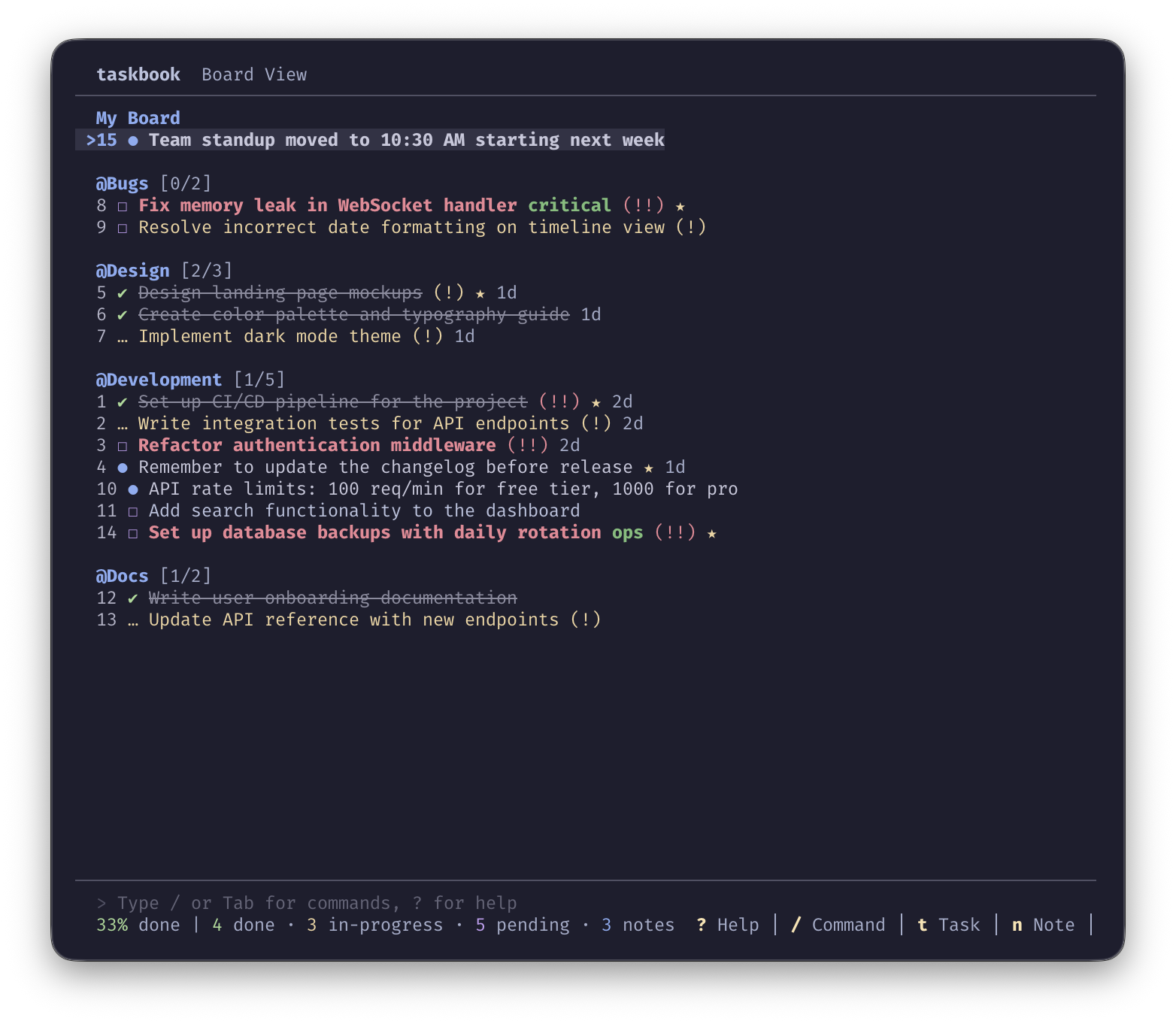
Create tasks and notes organized into boards. Move items between boards with --move, star important ones, and track progress at a glance.
Priority & progress
Three priority levels (normal, medium, high), in-progress states with --begin, sortable boards by ID, priority, or status, and a completion percentage overview.
Interactive TUI
Full-featured terminal UI with keyboard navigation, slash commands, and a built-in help overlay. Or use --cli mode for scripting and piping output.
External editor support
Compose and edit notes in your preferred editor with --note and --edit-note. Uses $EDITOR or $VISUAL.
Encrypted sync
Optional server sync with AES-256-GCM end-to-end encryption and real-time SSE notifications. Self-host or use the free managed service at app.taskbook.sh.
Search & filter
Find items by text with --find, filter by attributes like pending, done, starred with --list, or copy descriptions with --copy.
Catppuccin themes
Built-in themes: Catppuccin Macchiato, Mocha, Frappé, Latte, high-contrast, and default. Or define custom RGB colors in your config.
Built with Rust
Fast single binary. Install via cargo, Nix flake, or download a prebuilt release from GitHub. Works on Linux, macOS, and Windows.
Timeline & journal
Chronological timeline view and date-grouped journal view. Archive completed tasks with --delete and restore them anytime with --restore.
See it in action
Your tasks, everywhere
Encrypted sync across devices
Optionally sync your tasks to a server — self-hosted or use the free managed service. All data is encrypted client-side with AES-256-GCM before it ever leaves your machine. Real-time SSE notifications keep all your devices in sync instantly.
tb --register
— create an account at
app.taskbook.sh & generate
your encryption keytb --migrate
— upload existing local tasks to the servertb --login
— sign in on another device with your keytb --status
— check sync status anytime